

Key Takeaways
Pre-employment assessment software can add useful evidence to hiring, but only when its measures connect to the work and are interpreted with care.
- Start with the role’s essential tasks and requirements, not a platform’s test catalogue.
- Choose assessment methods that measure skills or traits relevant to those requirements.
- Evaluate candidate experience, accessibility, reporting, integrations, and data controls.
- Use consistent, job-related assessments and provide reasonable accommodations.
- Treat test results as one part of a hiring decision, then review outcomes and adjust.
What pre-employment assessment software does
Pre-employment assessment software helps employers collect structured evidence about candidates before making hiring decisions. It can support screening at scale, but it does not decide on its own who will succeed in a role. The value comes from selecting measures that relate to the work and interpreting results alongside other evidence. For employers exploring pre-employment assessment practices, the first question is what a particular assessment can reasonably tell them.
How assessments fit into the hiring process
An assessment usually sits between application review and later-stage interviews, although the right point depends on hiring volume and the role. A short, relevant test can help recruiters decide who should move forward, while a more involved work sample may be useful later when candidates have already met basic requirements. Clear instructions and consistent timing make results easier to compare. For large applicant pools, high-volume hiring assessment practices can help teams preserve decision quality while keeping the process manageable.
Which skills and traits employers can evaluate
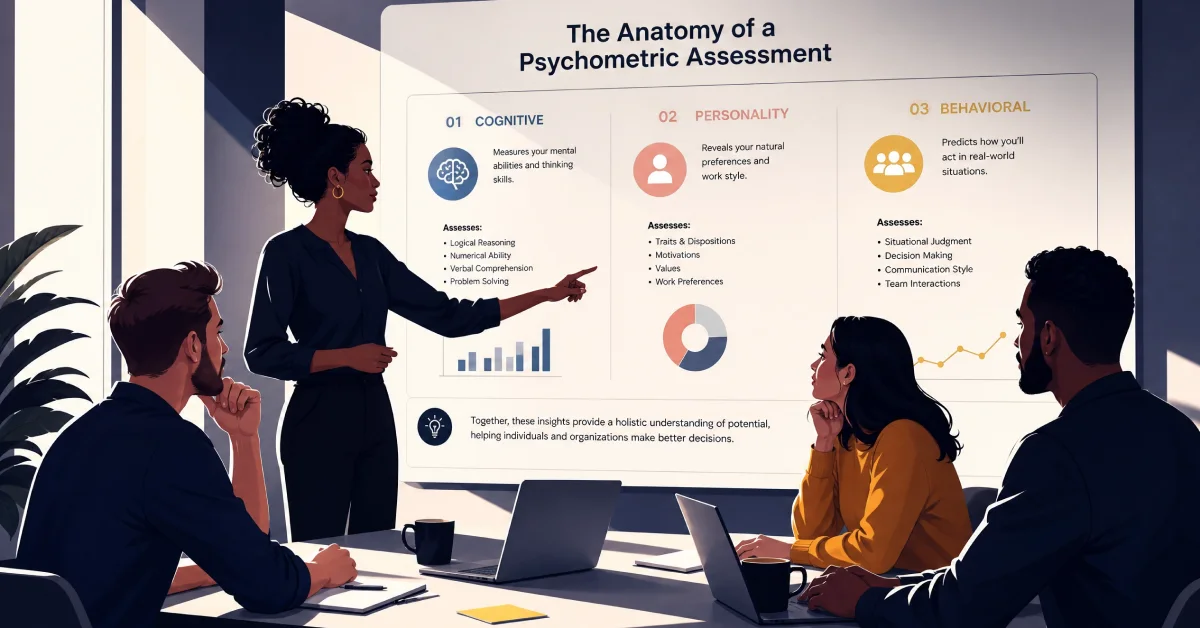
Assessment formats can measure job knowledge, task-specific skills, reasoning, behavioral tendencies, or responses to realistic workplace situations. They are not interchangeable: a knowledge test says something different from a work sample, and neither should be treated as a complete picture of a person. 9 LINKS offers validated, AI-enabled psychometric assessments for hiring India’s frontline workforce, designed to help employers evaluate role fit. Its approach is relevant where employers want evidence that extends beyond resume details and unstructured impressions.
When software adds value—and when it may not
Software may be useful when an employer needs a consistent way to compare many candidates or wants to assess a capability that is difficult to infer from a resume. It may add less value when the test is only loosely related to the role, when hiring volume is small, or when the result cannot change a decision. A tool should support judgment, not give a score the appearance of certainty. Employers considering psychometric measures can use this guide to choosing assessments to think through fit, reliability, and interpretation before adopting a test.
How to match assessments to the role
The best starting point is a clear picture of what the person will need to do, not a general idea of the “ideal candidate.” Hiring teams can then choose a small set of measures that produce useful evidence about those responsibilities. This is especially important across varied Indian workforce settings, where the same job title may describe different daily tasks. The aim is a practical link between the role and the assessment, rather than a longer test simply because more options are available.

Define job requirements before choosing tests
Write down the main tasks, the conditions in which they are performed, and the skills that matter most on day one. Separate essential requirements from capabilities that can be learned after hiring; otherwise, an assessment may screen out candidates for something the employer could teach. Ask supervisors and experienced employees to check whether the criteria reflect real work. This makes it easier to explain why each measure is included and what a result should inform.
Select relevant assessments for different job families
A frontline customer-facing role may call for attention to communication and situational judgment, while a technical position may need a task-based demonstration of specific skills. Roles in healthcare, manufacturing, hospitality, or BFSI also have distinct demands, so a standard test should not be assumed to fit every job family. A useful selection process connects each requirement to an observable form of evidence. For example, a team might map its needs this way:
- Use a work sample when a core task can be demonstrated in a short, realistic exercise.
- Consider a skills test when role-specific knowledge or proficiency is essential at entry.
- Consider a reasoning measure when the job regularly involves learning or solving unfamiliar problems.
- Use behavioral measures only when the behaviors assessed are tied to the role’s daily demands.
After mapping the measures, check whether the total process is proportionate to the job and the candidate’s time. A test should earn its place by adding evidence that interviews or application materials do not already provide.
Balance technical skills, aptitude, and behavioral measures
A balanced process avoids relying on one score to represent all aspects of readiness. Technical measures can show whether a candidate can perform defined tasks, while aptitude measures may provide evidence about reasoning or learning demands. Behavioral measures offer a different perspective and should be tied to observable workplace requirements, not vague ideas of “fit.” 9 LINKS assessments combine behavioral, cognitive, and integrity signals to help employers evaluate role fit, so teams considering that approach should still define in advance how each signal relates to the job.
Features to look for in a platform
A platform should make a sound assessment process easier to run, rather than encourage teams to add tests without a clear purpose. Employers can assess the candidate-facing experience, how results move through the hiring workflow, and whether reports are understandable to the people making decisions. Data handling also deserves attention before candidate information is collected. For employers comparing options, a short list of practical requirements is more useful than a long feature inventory.
Candidate experience and accessibility
Candidates need to understand what an assessment involves, how long it may take, and what equipment or environment is required. Instructions should be clear, and the process should work for the people the employer intends to hire. Consider whether candidates can complete the task on commonly available devices and whether a reasonable accommodation can be arranged. A poor candidate experience can create friction without improving the quality of evidence gathered.
Integrations with applicant tracking systems
An integration may reduce repeated data entry and help recruiters see assessment status alongside other application information. During a demonstration, ask which information transfers, when it transfers, and what recruiters must still manage manually. Do not assume that the word “integration” means a particular workflow is supported; verify the steps with the vendor. It can also help to map the assessment-to-training workflow as part of a broader review of how hiring and later development processes connect.
Reporting, analytics, and assessment customization
Reports should make it clear what was measured, how results are presented, and what conclusions are appropriate. Ask whether assessment content can be matched to defined role requirements and whether hiring managers can interpret the output without specialist support. A useful report gives context, not just a number. When comparing a platform’s reporting, a simple feature matrix can keep the discussion grounded:
| Review area | Question to ask | Why it matters |
|---|---|---|
| Measure and scope | What capability does this result represent? | Keeps interpretation tied to evidence |
| Role fit | Can the assessment reflect this job’s requirements? | Avoids using a generic measure by default |
| Report clarity | Can recruiters explain the result to a hiring manager? | Supports consistent decisions |
| Data access | Who can see results and for how long? | Helps define responsible handling |
A vendor demonstration should show a sample report and the path from candidate completion to recruiter review. 9 LINKS describes its reports as turning behavioral, cognitive, and integrity data into clear, actionable hiring insights; employers should evaluate any proposed reporting against their own role criteria and decision process.
Security and data privacy controls
Before collecting candidate information, confirm what data the platform stores, who can access it, how long it is retained, and how deletion requests are handled. Ask the vendor to explain its controls in plain terms and provide relevant documentation for your review. Internal access should also be limited to people who need results for hiring. A clear data-handling process helps protect candidates and gives the employer a firmer basis for operational decisions.
How to evaluate vendors in India
Vendor evaluation is not just a comparison of test counts. Employers need to understand whether the available assessments suit the roles they hire for, whether candidates can complete them in the intended setting, and what support comes with implementation. India’s hiring needs can vary by region, role, workforce level, and language. A careful evaluation makes these constraints visible before a platform is put into regular use.

Compare assessment libraries and language support
Ask vendors to show the actual assessment formats and explain the capabilities each one measures. If hiring involves candidates with different language preferences, verify which parts of the experience are available in the languages your process requires; do not infer support from a broad product description. Also check whether the test reflects the job context and the level of reading or digital familiarity needed to complete it. A catalogue is only useful when its contents suit the candidate population and work.
Review pricing, implementation, and customer support
Compare the full cost of use, including any implementation work, assessment volumes, and ongoing support that may affect your budget. Ask who will configure the process, how recruiters get help, and what happens when a test or candidate workflow needs attention. A clear service plan matters especially when hiring activity changes quickly across locations. Request the details in writing so decision-makers can compare the same assumptions.
Check references, sample reports, and validation evidence
Ask for a sample report and for evidence that the assessment measures what the vendor says it measures. Clarify the population and roles for which the evidence is relevant, and ask how results should be interpreted. Customer references can help reveal what implementation is like, but one organization’s experience does not guarantee the same outcome elsewhere. Use references to shape questions, then assess whether the evidence fits your own roles and hiring context.
How to use assessments fairly and effectively
A well-designed assessment process is consistent, job-related, and transparent enough that candidates know what is expected. Fairness is not achieved simply by using software; test content, delivery, scoring, and interpretation all matter. Employers should also consider whether a candidate’s result reflects the intended capability or an avoidable barrier in the process. A thoughtful approach makes assessments more useful to hiring teams and more respectful of applicants.
Keep tests job-related and consistent
Use the same assessment expectations for candidates being considered for the same role, with documented reasons for any necessary variation. Set time limits and completion conditions that reflect the task rather than adding pressure without purpose. Review each test periodically to confirm that it remains relevant as job duties change. Consistency makes comparisons more meaningful, but it does not excuse a measure that lacks a clear connection to the work.
Reduce bias and provide reasonable accommodations
Consider whether wording, timing, technology, or test format could create barriers unrelated to job performance. Explain how candidates can request an accommodation and establish a consistent process for responding. Review patterns in results across groups where lawful and appropriate, and investigate whether differences point to a feature of the assessment or its administration that needs attention. Fairness requires ongoing review, not a one-time approval.
Combine assessment results with other hiring evidence
A test result is one source of information, not a final verdict on a candidate. Compare it with structured interview evidence, relevant experience, and work samples where appropriate, while keeping the role requirements in view. Avoid letting a single score outweigh contradictory evidence without a reasoned explanation. This guide to behavioral assessments offers further context on using behavioral evidence to structure judgment rather than replace it.
How to implement assessment software
Implementation works best when teams begin with a defined hiring problem and a limited, testable use case. Recruiters, hiring managers, and the people responsible for candidate data should agree on what the assessment is meant to add. Starting with a pilot gives the organization a chance to identify unclear instructions, workflow friction, or unhelpful reports before wider use. The rollout should include a plan to learn from results, not only a date to launch.
Run a pilot with representative roles
Choose a small group of roles that reflects the kinds of hiring the organization expects to support. Include the recruiters and managers who will use the results, and capture candidate feedback as well as operational issues. Agree in advance on what would count as a successful pilot, such as completion rates, usable reports, or reduced manual steps. A representative pilot will expose more than a polished demonstration because it tests the process in real conditions.
Train recruiters and hiring managers to interpret results
Training should cover what the assessment measures, what it does not measure, and how to combine results with other evidence. Managers should practice discussing results without treating scores as labels or making claims beyond the report. Provide a simple reference for questions candidates may ask and a route for escalating concerns. Clear interpretation rules help the team apply the process consistently across locations and hiring rounds.
A short training session is useful, but teams also need a way to revisit interpretation when roles or assessment content change. Keep examples grounded in the organization’s own job requirements and avoid implying that a score alone predicts every aspect of performance. Recruiters are more likely to use reports well when the guidance is practical and accessible.
Track hiring outcomes and refine the process
Set a small number of measures before launch, then review them at regular intervals. Completion and candidate feedback can show whether the process is workable, while hiring and later performance information may help teams judge whether the assessment contributes useful evidence. Review results carefully and avoid attributing every change to the software alone. If a measure is not helping decisions, revise the process or remove it rather than preserving it out of habit.
Conclusion
Pre-employment assessment software can make hiring more structured when its measures reflect real job requirements and its results are used with care. Employers in India can make a stronger choice by testing candidate experience, reviewing evidence, protecting candidate data, and piloting the process before expanding it. The software is a tool for better-informed decisions; the quality of the decision still depends on the people and standards around it.
Frequently Asked Questions
What is pre-employment assessment software?
It is software employers use to administer and review assessments during hiring. Depending on the assessment, it may provide evidence about job skills, reasoning, behavioral tendencies, or responses to work-related situations.
Which roles can use pre-employment assessments?
Assessments can be considered for many role types, including frontline, technical, and professional jobs. The format should be selected according to the role’s actual tasks and requirements rather than applied uniformly.
How do employers choose the right assessment?
Start by defining essential job requirements, then select measures that provide relevant evidence about them. Review how results will be interpreted and whether the assessment is suitable for the candidates who will take it.
Are pre-employment assessments a replacement for interviews?
No. Assessments can add structured evidence, but interviews, experience, work samples, and other relevant information may also contribute to a hiring decision.
How can employers make assessments fair?
Use job-related measures consistently, give candidates clear instructions, consider accessibility and reasonable accommodations, and review whether the process creates barriers unrelated to the work.
What should employers ask assessment vendors?
Ask what each assessment measures, what evidence supports its use, how reports are interpreted, what candidate support is available, how data is handled, and what implementation and pricing involve.
How should a company evaluate an assessment pilot?
Set success criteria before the pilot, gather feedback from candidates and users, check whether the workflow functions as intended, and review whether the assessment contributes useful evidence to decisions. Refine or discontinue measures that do not serve a clear purpose.
We Appreciate The Feedback From Our Clients.
It is always a joy to hear how our work has positively impacted them and how our assessments have helped in finding the right people.
We have used 9 LINKS psychometric tool in our Campus Placement Programme.The tool has helped us to identify right candidate as per our organisation requirements…

We have just started using it. It differentiates various personalities and helps in decision making. The clarity on its precision level will be gathered over a period of time…

Counselling test curated for NES has been very useful in identifying the skill sets and allotting appropriate job fitment to students as per their quotients. Multilingual tests developed by considering various key…

It is indeed great pleasure in my part to share complementing note to you & your team. Needless to say 9 LINKS is one of the best organisation to conduct skill gap analysis through assessment of Cognitive skills..

It is crucial that validating the quality of the candidates in recruitment. 9 LINKS is a service that we can confidently say does that. 9 LINKS online assessment precisely giving us the right candidates to pick and proceed on recruitment…

Read Our Blog For The Latest On Research & Insights.
Get Insights into latest developments in HR industry and psychometric assessments.

Take a Free Assessment


